Free raw photo editor for Mac From 2000 raws to the ones you’ll send.
Cull, develop and export your raws in one free Mac app. Tone, colour, curves, Neural Engine denoise and crop run through Apple’s raw pipeline, and on-device AI ranks the shoot before you start. No catalogue, no import, no account.

Free and open source (MIT) · macOS 15 or later · Apple Silicon · your photos never leave your Mac
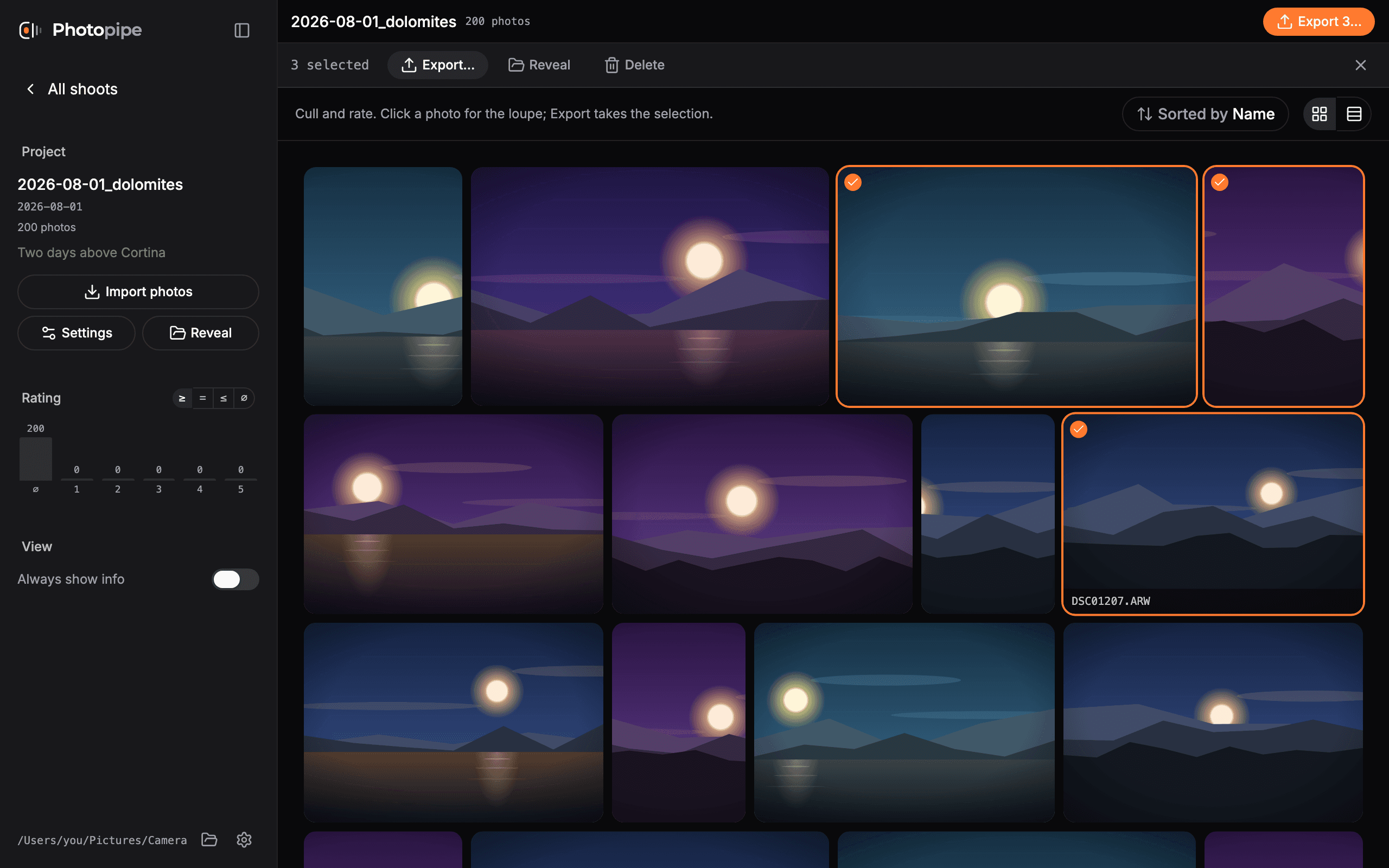
Develop
A real edit, not a preview.
Every adjustment runs through Apple's raw pipeline at full precision and is written back as XMP. Warm re-renders land in 32 ms on a 33 MP ARW, so a slider moves the photo, not a progress bar.
Exposure
Written as Lightroom's own crs:Exposure2012.
Highlights · Shadows
Recovery either end of the range.
Whites · Blacks
Set where the photo clips, either end.
Texture · Clarity · Dehaze
Local contrast at three scales; dehaze reads the haze colour per photo.
Temp · Tint
True Kelvin on raw, incremental elsewhere.
Denoise
RAW 9 demosaics and denoises in one model, on the Neural Engine.
Vibrance · Saturation
Two separate controls, as they should be.
Curves
RGB plus a red, green and blue channel each.
Crop, straighten, rotate
Live angle, non-destructive, zoom to 1:1 to check focus.
⌘C / ⌘V
Copy a look from one photo, paste it onto the whole selection.
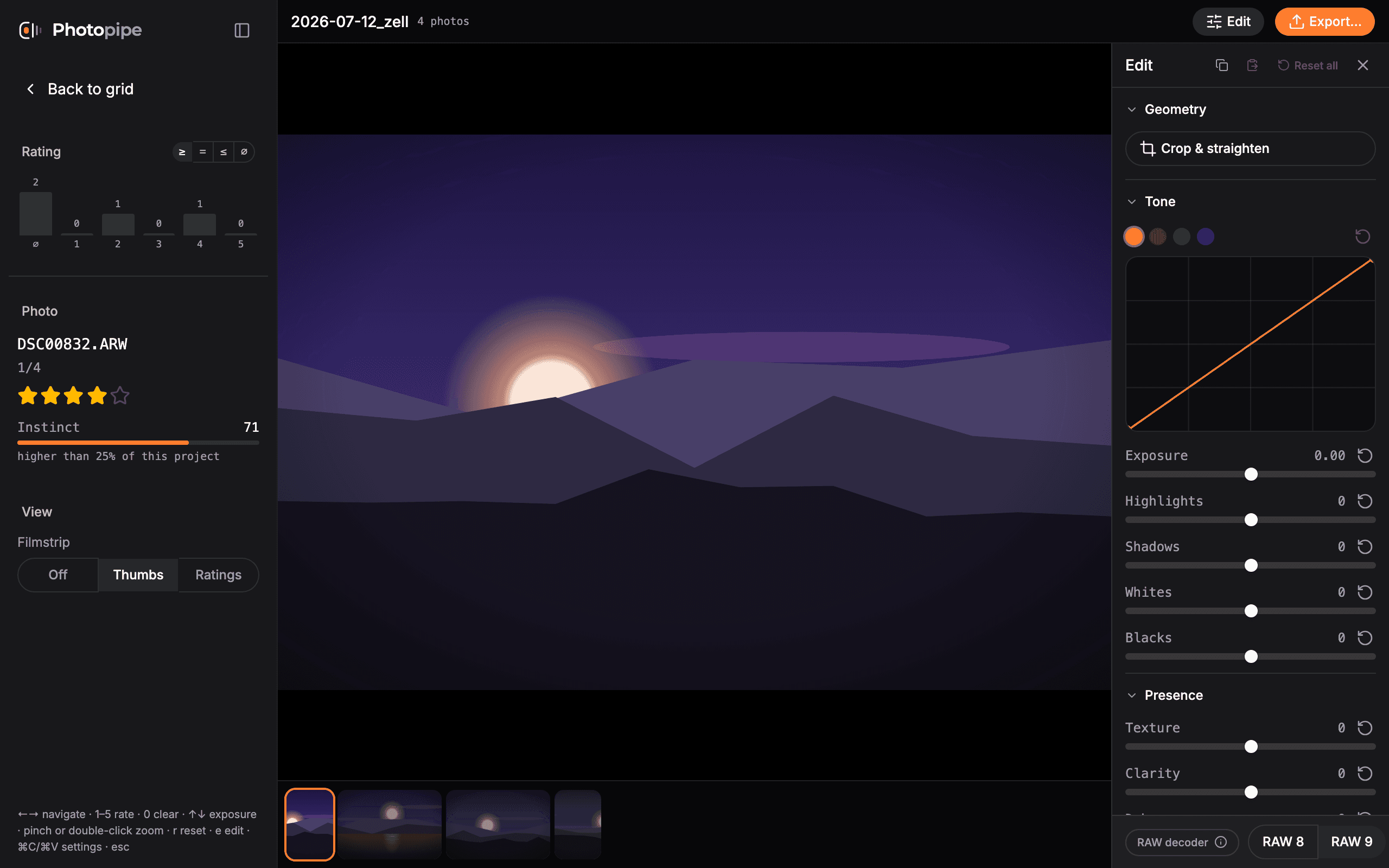
Instinct
The first pass is already done.
A background pass scores every frame with Apple's Vision aesthetics model, on your Mac, straight from the raw. Nothing is uploaded and no account exists to upload it to. The result is one number from 0 to 100 that means the same thing in every project: sort by Instinct and the shoot arrives roughly in the order you would have put it in.
0–100
One scale, stable across shoots
On device
Vision reads the raw, nothing leaves the Mac
32 ms
Warm loupe re-render, 33 MP ARW
0 files
Written until you ask
The rest of it
From folder to export.
Your folders are the truth
Ratings that travel
Histogram as filter
Export that renders
Jobs, not toasts
Native and self-contained
FAQ
Questions, answered.
Is Photopipe free?
Yes. Photopipe is free on the Mac App Store, as a DMG and through Homebrew, with no subscription, no paid tier and no account. The source code is on GitHub under the MIT licence.
What can I edit in Photopipe?
Global edits on the whole photo: exposure, highlights, shadows, whites, blacks, texture, clarity, dehaze, white balance, vibrance, saturation, RGB and per-channel curves, Neural Engine denoise on raw files, and crop, straighten and rotate. Copy a look onto a whole selection, undo anything with ⌘Z, and export full-resolution JPEGs with the edits baked in. Local adjustments such as masks and brushes, HSL, presets and lens correction controls are not there yet.
Which Macs does Photopipe run on?
macOS 15 Sequoia or later on Apple Silicon (M1 and newer). Intel Macs are not supported, and there is no Windows or Linux version.
Which file formats does Photopipe open?
Raw files from every camera your Mac or iPad can decode, including Sony ARW, Canon CR2 and CR3, Nikon NEF, Fujifilm RAF, OM System and Olympus ORF, Panasonic RW2, Pentax PEF and DNG, plus JPEG, PNG, TIFF, HEIC, AVIF, JPEG XL and WebP. A camera newer than your system opens once an Apple update adds it.
How do I install Photopipe?
From the Mac App Store, as a signed and notarized DMG from GitHub Releases, or with Homebrew: brew install --cask raphaelmitas/tap/photopipe. The DMG and Homebrew builds offer their own updates; the App Store build updates through the App Store.
Does Photopipe work with Lightroom?
Yes, side by side. Star ratings and edits are written as XMP: a sidecar next to a raw file, embedded in DNG, JPEG and PNG files. TIFF, HEIC, AVIF, JPEG XL and WebP files, and on iPad DNG, JPEG and PNG too, keep theirs in a Photopipe sidecar that other apps do not read. Edits use Lightroom's own crs tags, such as crs:Exposure2012. Lightroom Classic, Capture One and Photo Mechanic read the same star ratings, so you can cull in Photopipe and finish in Lightroom.
Is Photopipe a free Lightroom alternative?
For a shoot you cull, edit with global adjustments and export, yes, without a catalogue or an import step: Photopipe opens a folder, scores it, and writes every decision back to the files. If you rely on masks, presets, HSL or a catalogue with keywords and collections, not yet, and because ratings and edits are saved as XMP you can finish those photos in Lightroom.
Does Photopipe have AI culling?
Yes, and it runs on your Mac. Instinct scores every photo with Apple's Vision aesthetics model, straight from the raw file. Each photo gets one number from 0 to 100 that means the same in every project, and sorting by it puts the stronger frames first. It is a first sort, not a replacement for your judgement: it never rejects or deletes anything, and the score stays in Photopipe's rebuildable cache, not in your files.
Does Photopipe upload my photos?
No. There is no account, no telemetry and no cloud; photos are read from and written to your own folders, and everything works offline. The DMG and Homebrew builds ask GitHub for updates on launch and download one only when you install it. The Mac App Store build makes no network requests.
Who is Photopipe for, and who makes it?
Photographers who come home with hundreds or thousands of raws and want to pick and edit the keepers in one place. Raphael Mitas built it for his own dance event shoots, 2000 to 3000 raws a night.